
Launching your first website should be an exciting milestone, not a frustrating lesson in hidden fees and server jargon. Yet, thousands of beginner webmasters lock themselves into overpriced, underperforming plans simply because they don't know what technical specs actually matter.
Recent industry data reveals that the global web hosting market is projected to reach over $178 billion, with entry-level shared hosting remaining the most popular tier for small businesses and new creators. However, over 65% of first-time hosting buyers end up paying 200% to 300% more upon plan renewal because they missed critical fine print during checkout. By understanding core server parameters and leveraging introductory promo codes, you can secure enterprise-grade hosting for pennies on the dollar.
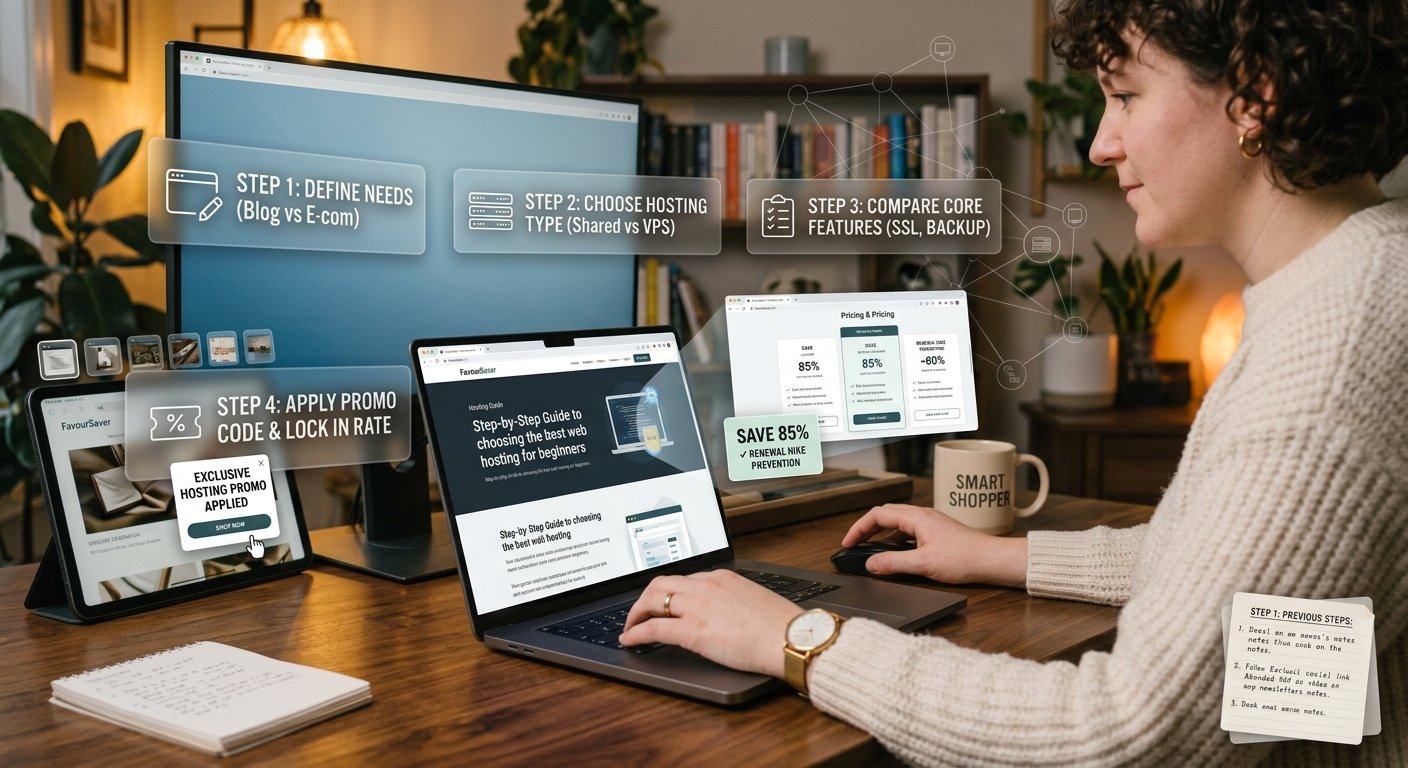
1. Identify Your Specific Hosting Needs
Before browsing hosting providers, define your website's primary function to avoid over-purchasing server resources you will never consume.
Blogs & Personal Sites: WordPress-optimized shared hosting is the ideal, budget-friendly baseline.
E-Commerce Stores: Requires dedicated SSL certificates, higher RAM, PCI compliance, and automated daily database backups.
Portfolio & Small Business Sites: Lightweight shared or entry-level cloud hosting provides optimal balance between cost and uptime.
Insider Tip: Do not fall for "unlimited bandwidth" or "unlimited storage" claims. Unmetered plans still operate under strict Fair Usage Policies (FUP). If your site consumes excessive CPU memory, the host will temporarily throttle your speeds or force an upgrade.
2. Match Hosting Types to Your Skill Level
Not all hosting environments operate the same way. Selecting the wrong tier can lead to technical headaches or unnecessary monthly expenses.
Shared Hosting: Multiple websites share a single server's resources. Highly affordable ($2 to $5/mo) and beginner-friendly.
Managed WordPress Hosting: Pre-configured servers optimized specifically for WordPress speed, automated updates, and security isolated from other users.
VPS (Virtual Private Server) Hosting: Dedicated virtual partitions for growing sites needing root access and higher traffic limits ($15 to $40/mo).
Dedicated Servers: Entire physical server leased to a single client ($80+/mo). Overkill for beginners.
[IMAGE: Diagram contrasting shared hosting, VPS hosting, and dedicated servers | Alt Text: Infographic showing the structural differences between shared hosting vs VPS vs dedicated servers]
3. Evaluate Essential Beginner Features
When evaluating web hosts, ensure these four core features are included in the base price rather than sold as mandatory add-ons at checkout:
Free SSL Certificates: Non-negotiable for security and Google SEO rankings. Never pay extra for basic Let's Encrypt SSL.
One-Click Script Installers: Look for Softaculous or native dashboard tools to install WordPress, Joomla, or WooCommerce in a single click.
Free Domain Registration: Many top hosts bundle a free
.comdomain for your first year when you purchase an annual plan.24/7 Live Chat Support: Essential for beginners. Test their chat response speed before signing up by asking pre-sales questions.
4. Master the Promo Code Stacking & Renewal Strategy
Hosting companies run aggressive introductory promotions offering 60% to 85% off for new sign-ups. The key to maximizing your savings is managing the billing cycle strategically.
Lock in Long-Term Terms: Introductory discounts typically apply only to your first invoice. Choosing a 36-month or 48-month billing cycle locks in the ultra-low rate for years instead of facing full renewal prices after 12 months.
Deselect Checkout Upsells: Checkout forms routinely pre-select paid add-ons like "SiteScanner," "SEO Tools," and "Private Email." Uncheck these to save $50+ instantly.
Stack Verified Coupons: Always source verified promotion links or manual coupon codes via our [Insert Internal Link: Hosting Promo Code Hub] before entering payment details.
Warning: Set a calendar reminder 30 days prior to your plan's renewal date. If renewal pricing jumps significantly, you can easily migrate your site to a new host offering a new-customer discount using free migration tools.
Web Hosting Options & Cost Comparison
| Hosting Provider Tier | Typical Retail Price | Intro Discount Price | Key Included Features | Ideal User |
| Entry Shared Hosting | $9.99 – $14.99/mo | $1.99 – $3.99/mo | 1 Site, Free SSL, Unmetered Bandwidth | Beginners & Personal Blogs |
| Multi-Site Shared | $14.99 – $19.99/mo | $3.99 – $6.99/mo | 100 Sites, Free Domain, Weekly Backups | Freelancers & Small Businesses |
| Managed WordPress | $20.00 – $35.00/mo | $7.99 – $12.99/mo | Staging Environment, Auto-Updates, CDN | High-Traffic WordPress Sites |
| Entry VPS Hosting | $30.00 – $50.00/mo | $12.99 – $19.99/mo | Dedicated RAM/CPU, Full Root Access | Web Developers & E-commerce |
Launch Your Website for Less Today
Selecting the best web hosting as a beginner comes down to matching your current traffic needs with transparent pricing. By choosing a reputable shared or managed WordPress host, dodging hidden add-ons, and locking in long-term introductory promotional rates, you can power your website reliably while keeping expenses minimal.
Ready to launch your site at the absolute lowest price? Visit VPS Hosting right now to secure verified coupon codes, free domain bundles, and exclusive host discounts!